




Developers

screen code 1
code
pc
code
clavier

Discover

our APIs

Explore, integrate and innovate today

Get to the heart of our technology with our dedicated API documentation.

SMS API

You can now integrate the ability to send SMS directly from your business applications. With a single account, MTarget can send your SMS messages to France and abroad. All you need to do is specify the additional destinations you want.

Please note that you are obliged to take into account recipients’ wishes to stop receiving SMS messages.

Depending on the country of destination (determined by the telephone prefix of their mobile number), they may be offered different channels for exercising this right (“STOP” response on a shortcode or long number indicated in the message sent, use of a link to an unsubscribe page, etc.), and different laws and regulations may govern the terms and conditions.

API RCS

RCS (Rich Communication Services) is a protocol for sending multimedia messages to your customers via an agent dedicated to your brand or company.

Time2Chat API

Time2Chat uses native cell phone technologies to send both SMS and voice messages via the same number, facilitating exchanges between brands and customers.

NB: For this service, use the SMS API documentation. The sender field will be used to personalize your Time2Chat message.

API Voice

You can send pre-recorded voice messages to your contacts. Depending on the destination, messages can be sent via direct dialing or deposited on an answering machine.

Smartphone SMS
Documentation
Technical

Simplify your life with our free documentation.

CRM & CMS

For seamless integration

Use our dedicated connectors to easily integrate our SMS solution into your existing technical architecture, making it easy to automate specific tasks.

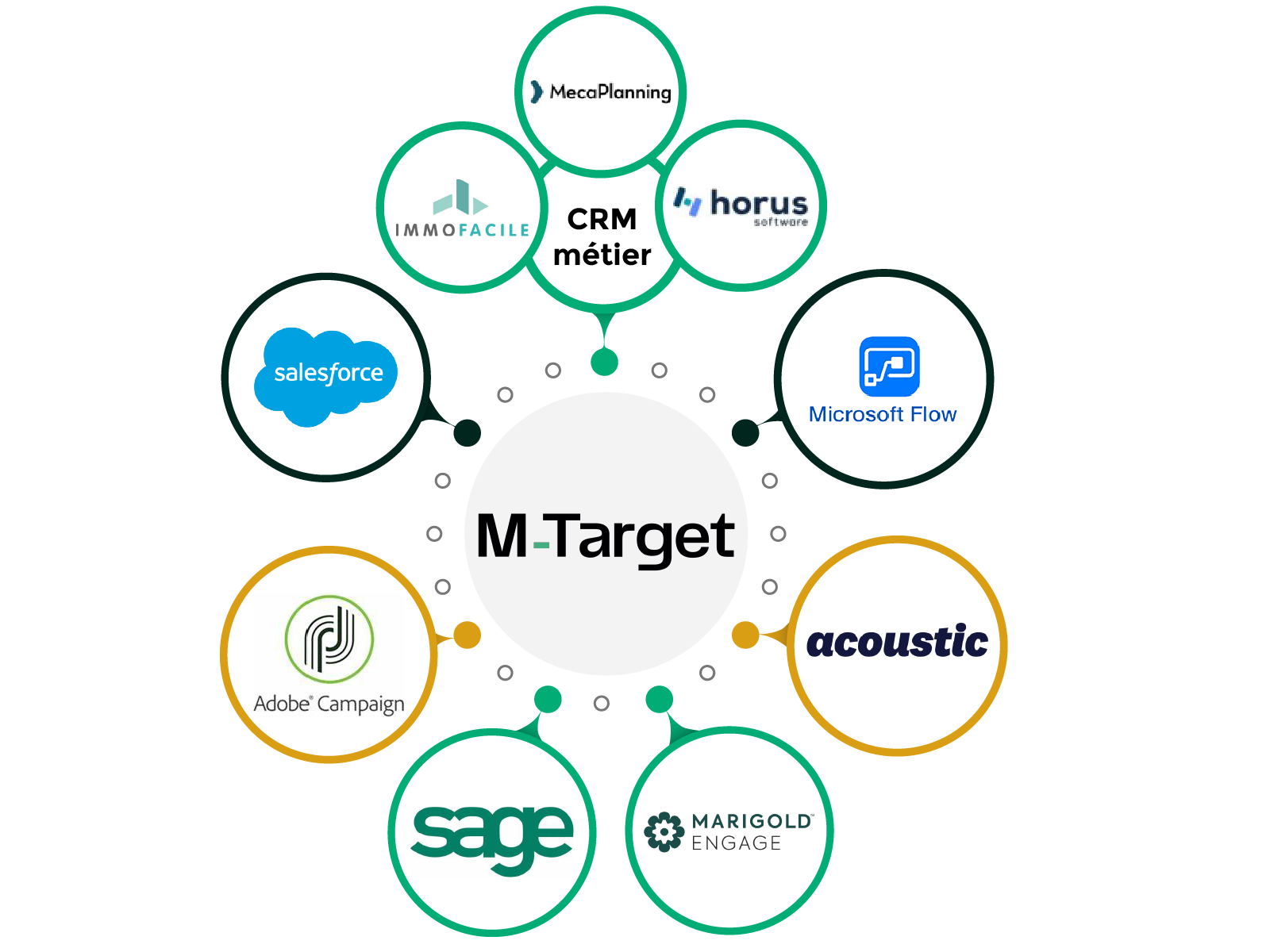
The system is compatible with various CRMs and CMSs, such as Salesforce, Adobe Campaign and Selligent, as well as WordPress, Marketo and numerous industry-specific CMRs such as Immofacile and Horus.

We allow you to send SMS messages on your Marketo tool.

Registration

You can open an account to test our service. Creating an account is free and without obligation. To open an account, send an e-mail to support@mtarget.fr with the subject “Create a Marketo API account” and your contact details:

  • account email
  • name
  • first name
  • company name
  • Siret
  • cell phone number

In return, we’ll provide you with the credentials you need to use the API.

The shipping account we open for you can support several different offers and tariffs depending on the destination and operator. Please let us know which destinations you would like to test.

Create a new webhook

To start the integration, first create a new Webhook :

  • Go to Admin > Webhook > New Webhook
  • Enter the following parameters:
  1. Webhook Name: the name of your new webhook
  2. URL: https://api-public-2.mtarget.fr/messages
  3. Request Type: POST
  4. Template: username={{my.SMS username}}&password={{my.SMS password}}&serviceid={{my.SMS serviceid}}&msisdn=%2B{{lead.Phone Number}}&msg={{my.SMS message}}&timetosend={{my.SMS timetosend}}&sender={{my.SMS sender}}
  5. Request Token Encoding : Form/Url
  6. Response type: XML

Please note: Changing these settings may take a few minutes to be taken into account by Marketo.

Create the corresponding tokens

Once the webhook has been created, you need to associate the corresponding parameters with it. To do this, go to Marketing Activities and create a token for each parameter received during registration:

  • SMS username: username transmitted on reception
  • SMS password: password sent upon registration
  • SMS serviceid: serviceid sent on registration

Then, in the Program’s Activity section, enter the following parameters (required)

  • SMS message: The content of your message.
  • SMS sender : Sender personalization: 11 alphanumeric characters, e.g. “Store” (default value differs by country and operator). Some operators will refuse sender personalization (e.g. in France NRJ Mobile or Transatel).
  • SMS timetosend : Date and time of message transmission (format: yyyy-MM-dd HH:mm:ss ex: 2038-01-19 04:14:08). The timetosend can’t be more than 24 hours in the future, so longer lead times must be managed on your side. Even if programmed in advance, it is not possible to cancel a message. The time zone is that of France. If, in the meantime, a recipient indicates that he no longer wishes to receive SMS messages (STOP), you will no longer be able to manage him on these pre-programmed sendings. Please note: this field is optional, but if entered in the template, it must be in the expected format (not empty).

Test

The webhook is now configured. Call it once to check that it works. If there are any problems, take a closer look at the webhook feedback.

We give you the possibility to send SMS from your WordPress site thanks to the integration of the plug-in WP SMS PLUG-IN.

Registration

You can open an account to test our service. Creating an account is free and without obligation. To open an account, send an e-mail to support@mtarget.fr with the subject line “WordPress API account creation” and your contact details:

  • account email
  • name
  • first name
  • company name
  • Siret
  • cell phone number

In return, we’ll provide you with the credentials you need to use the API.

The shipping account we open for you can support several different offers and tariffs depending on the destination and operator. Please let us know which destinations you would like to test.

Use

  • Install the plug-in, then go to the Settings tab > Gateway to configure your account.
  • Select Mtarget in the Gateway name field.
  • Configure your username and password with those supplied when you registered. You can choose a personalized sender in the Sender number field (11 characters).
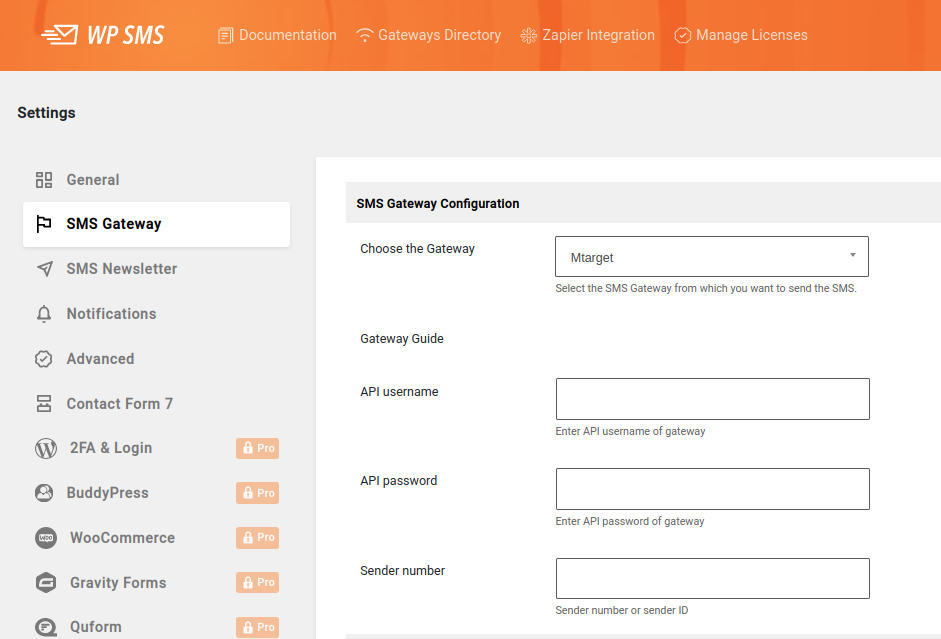
wodpress SMS API

  • The Send as unicode option must be ticked if you want to send characters not supported by conventional SMS. Please note that this option reduces the length of an SMS from 160 to 70 characters.
  • If you want to send your own SMS messages, the plugin includes a wp_sms_send function that takes two parameters into account: an array of msisdns and the message to be sent (see example below).

$to[] = ‘+33xxxx1’;

$to[] = ‘+33xxxx2’;

$msg = “Test”;

wp_sms_send($to, $msg);

For more information on the plug-in’s features, please visit https://wordpress.org/plugins/wp-sms/.
SMPP & SFTP

An embarrassment of riches for your SMS campaigns

We give you the flexibility to optimize your SMS campaigns to suit your needs.

Choose between the SMPP protocol, a robust solution for sending bulk SMS messages, and the SFTP connection mode, ideal for integrating and automating your campaigns in a secure way.

For more information on these technologies, see our detailed guides.

SMPP

You can find out more about SMPP on the website https://smpp.org .

SFTP

Upload your files to our SFTP server to send your SMS campaigns. The messages are sent and you recover a file containing the acknowledgments of each message as well as the unsubscriptions (STOP).

This protocol is one of the most secure and reliable. It is perfectly suited to mass mailings (such as SMS marketing campaigns) of up to 1 million recipients. For larger numbers, you’ll need to send several files.

Please note that depending on the country of destination, you are obliged to take into account the desire of SMS recipients to be able to unsubscribe. This often takes the form of people sending STOP in return for a message. This information is detailed in the STOP Report section.

Tools

URL shortener API

API Test

This tool allows our support team to retrieve the elements sent to the https://api-test.mtarget.fr/ substitution address in order to help you solve problems during the deployment of our API (your password is not transmitted).
In this way, we can retrieve your IP address so that you can authorize it to use our services.
Simply replace the API URL with this test URL and send an e-mail to support@mtarget.fr for assistance.

Character counting

This tool lets you enter your message and estimate the number of SMS messages needed to send it. It lets you know which characters cannot be sent using theGSM alphabet.

If these characters are not present in the GSM alphabet, it is necessary to switch to the Unicode format, which drastically reduces the size of an SMS to 70 characters (compared with 160 in GSM).

Excluding Unicode, beyond 160 characters and in order to chain SMS messages, the GSM standard imposes an SMS length of 153 characters (normal message: 160 characters, long message: 153 +153 + …).

Please note that this tool cannot technically take into account the presence of certain characters (invisible, etc.) linked to your system. Only a unit test will enable you to be sure of the number of sms in your message.

SMS character counter
Your message will be sent in 0 SMS.

Details :
This corresponds to 0 characters.

Caption:

A Character present in the GSM alphabet, counts as one character.
Character present in the GSM extension, counts as two characters.
ë Character NOT present in GSM, forces message to be sent in Unicode. Counts as one character.
🦆NO character present in GSM, forces the message to be sent in Unicode. Counts as two characters.
Privacy preferences
When you visit our website, it may store information via your browser from specific services, generally in the form of cookies. You can change your privacy preferences. Please note that blocking certain types of cookies may have an impact on your experience of our website and the services we offer.